Sales Pipeline: What It Is and How to Manage It in CRM
July 13, 2026 · AmplySales Team
What is a sales pipeline?
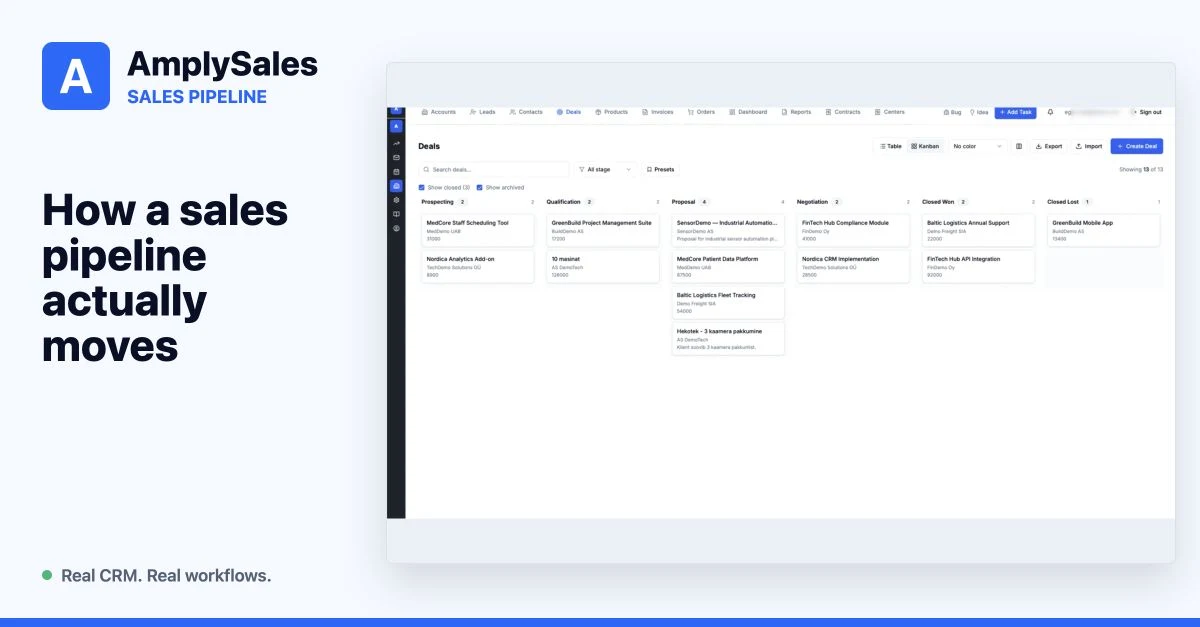
A sales pipeline is an ordered view of active opportunities: where each deal sits, what it might be worth, and what the salesperson must do next.
Salesforce defines a pipeline as a visual representation of how prospects move through the buying process. The important word is move. A deal without a next step is not being managed, even if it is displayed in the correct column.
Pipeline is not the same as forecast
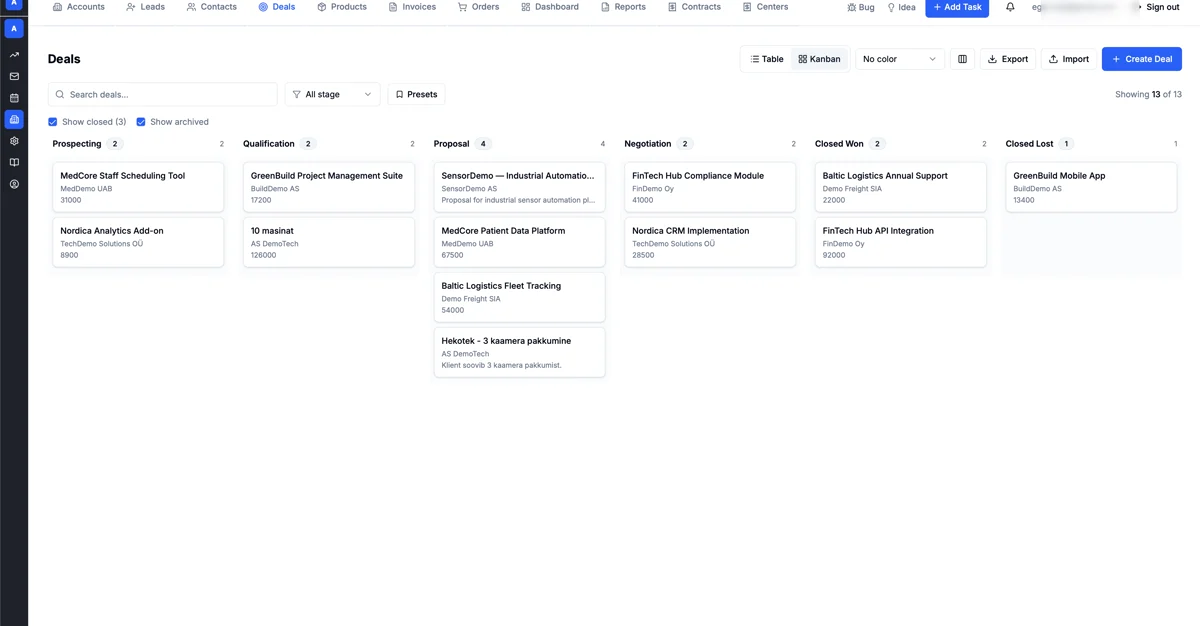
The two views use the same deals but answer different questions.
- The pipeline shows all active work and helps the team decide what to do next.
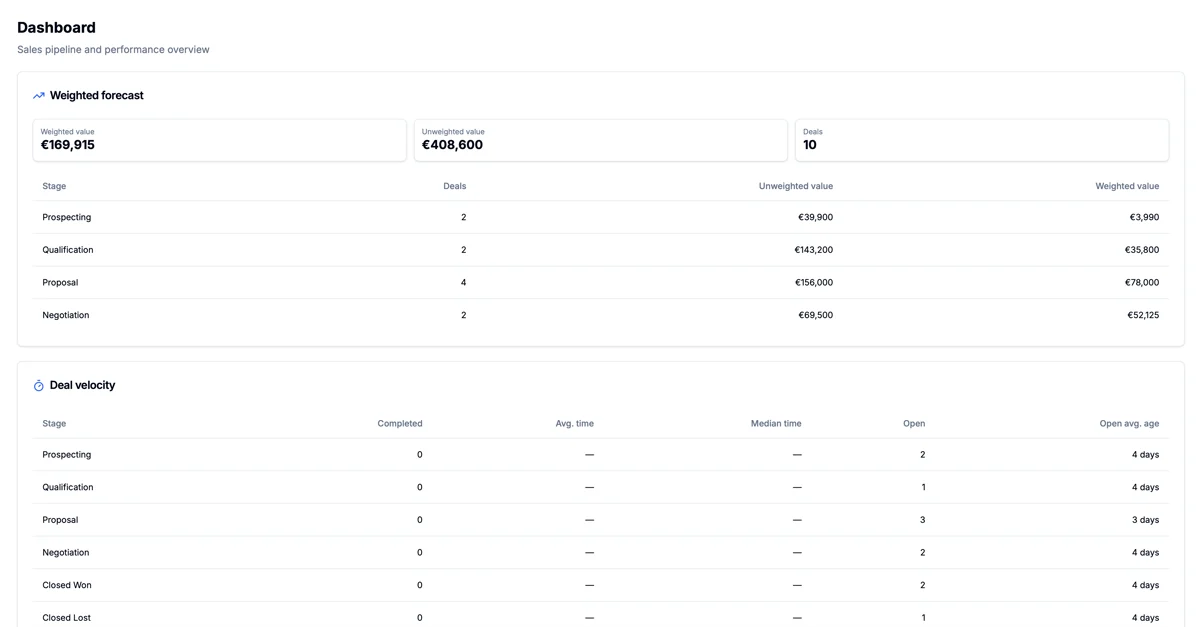
- The forecast estimates which part of that work may become revenue during a period.
A simple weighted value is commonly calculated as:
deal value × probability of closing
A €20,000 deal at 40% probability has a weighted value of €8,000. This is not a promise or an accounting figure. It is a model whose quality depends on realistic stages and probabilities.
Which stages should a pipeline have?
There is no universal correct set. Stages must describe your buying process, and entry into each stage should have an observable condition.
One B2B example:
| Stage | Verifiable meaning | Typical next step |
|---|---|---|
| Prospecting | the company fits the initial profile | find the right contact |
| Qualification | need, fit, and contact are confirmed | discovery meeting |
| Proposal | the solution and price have been presented | feedback or revision |
| Negotiation | terms are actively being discussed | resolve decision and blockers |
| Closed won | an order or agreement is confirmed | hand over to delivery |
| Closed lost | the opportunity is finished | record the loss reason |
“Called the customer” is usually an activity, not a stage. A deal should not enter Proposal merely because a price list was sent. A stage should help the next person understand what has actually happened.
What must every deal contain?
Managing sales requires more than a name and amount:
- related account and contacts;
- responsible owner;
- current stage;
- value and currency;
- expected close date;
- next action and due date;
- last meaningful interaction;
- win or loss reason;
- products, services, or proposal context;
- notes about risk and decision-makers.
When critical fields remain empty, adding more mandatory inputs is not always the answer. Information may be requested at the wrong point, or it may belong in connected email, meetings, or enrichment.
Three views a sales manager needs
1. Current state
How many deals and how much value are in each stage? This shows distribution, but not whether work is moving.
2. Velocity and age
How long do deals remain in each stage? Which opportunities are unusually old? Age does not automatically make a deal bad, but it requires an explanation.
3. Next actions
Which active deals have no future task or agreement? This is often the most actionable list because it shows where the process may break.
Common mistakes
Every possible contact becomes a deal
A prospect is not yet an opportunity. Create a deal when there is a specific sales case, not merely a company name.
Too many stages
If two stages do not change the decision or next action, separate columns may not be useful.
Close dates move without new evidence
Pushing a date out makes the forecast look healthier without improving the opportunity. A date change should reflect a new customer signal or agreement.
Lost deals remain open
Keeping old opportunities inflates pipeline value and hides conversion reality. A clear loss reason is more useful than apparent volume.
The next action says only “follow up”
A useful step says who will do what and by when: “Maria sends the revised proposal by 14 July” is stronger than “follow-up.”
How automation helps
Pipeline automation should reinforce the agreed process:
- notify an owner when a stage changes;
- create a task after a proposal is sent;
- detect deals with no activity;
- update related records;
- summarize correspondence or draft a response;
- send approved data to another system.
Automation should not change a stage solely because of an uncertain AI inference. AmplySales rules can run on record creation, record update, field change, schedule, or inbound email. An assistant can examine context and prepare work, while a person confirms material customer commitments.
Where to start
- Describe the buying process in five to seven verifiable stages.
- Agree when an opportunity becomes a deal.
- Define the required information and next action for every stage.
- Clean up old and duplicate opportunities.
- Only then configure views, probabilities, alerts, and automation.
For context, read what CRM is. Continue with what sales automation should actually do.